
Live placeholder: sensifile.com
Sensifile takes you out of your email system. Every piece of information your business handles — emails, attachments, contracts, conversations, decisions — flows through Sensifile and into a properly organised, properly searchable structure. So when you need to ask "where exactly is everything at on this matter?", you can.
This matters most in document- and communication-heavy industries — the legal profession in particular, where every email, every attachment, and every clause on every contract is part of a matter that needs to be findable, defensible, and connected to everything else that relates to it.
Legal firms, accountancy practices, consultancies, claims handlers, property managers, healthcare administrators — any business where the work is the information and the information is the work. Sensifile is built for the people who currently spend half their day looking for the email, attachment, or document they remember sending three weeks ago.
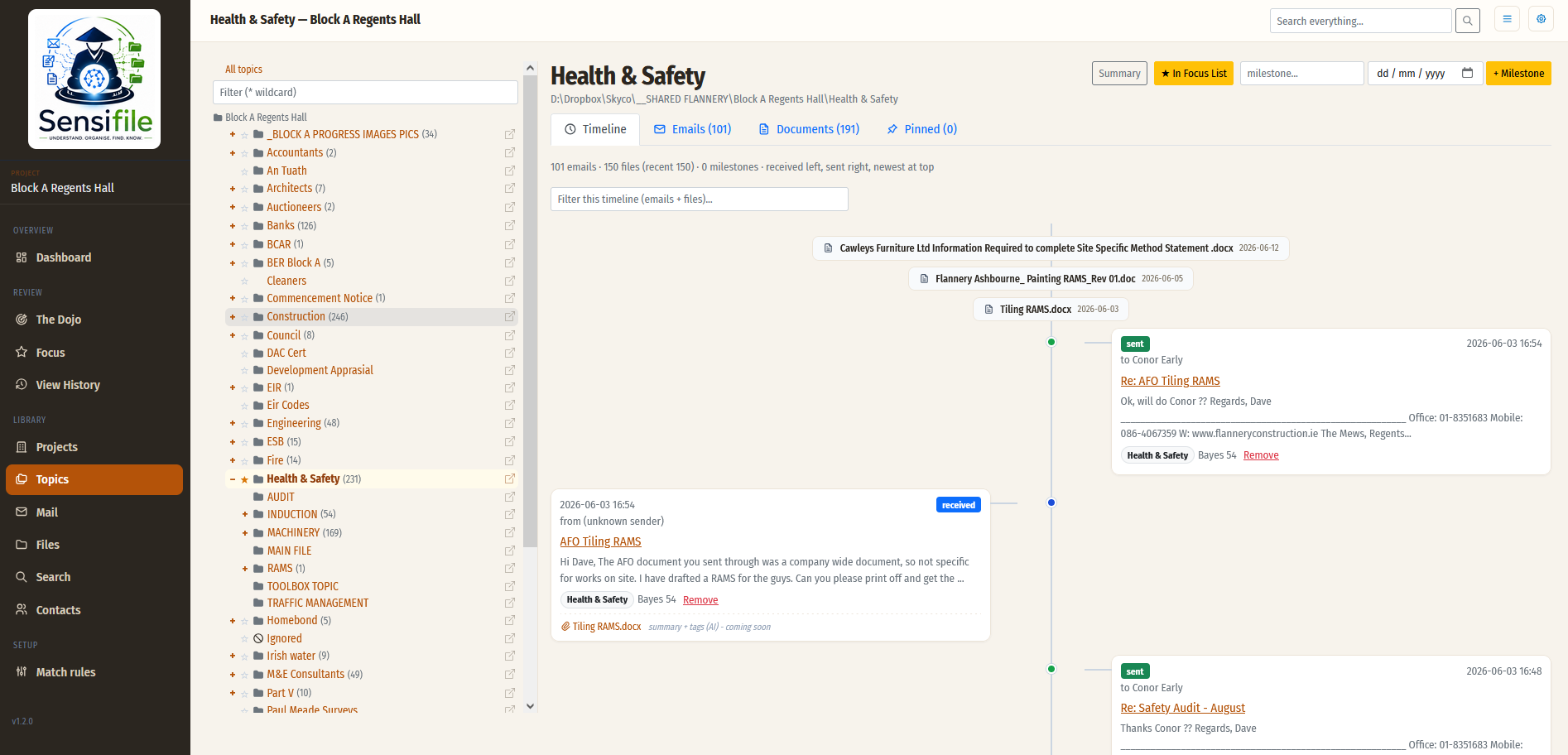
Sensifile starts with the folder structure you already have. Point it at the place where your documents live — a folder tree on your machine, a Dropbox account, a network share, whatever — and it copies the folder hierarchy into a database. Every file in every folder is indexed alongside it. From then on, you browse that structure in your browser; click any file and it opens in your default viewer.
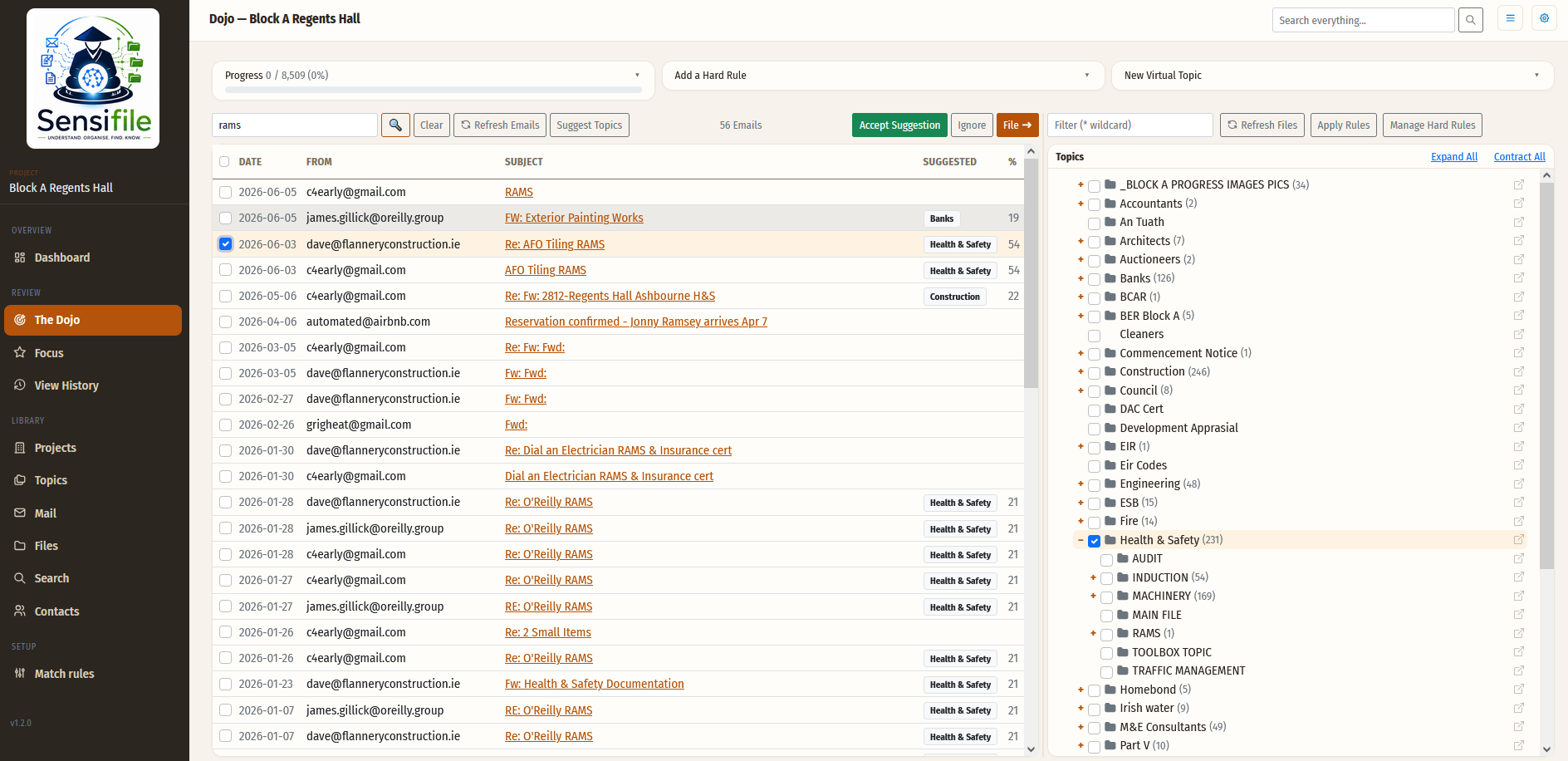
Crucially, the folder structure becomes the categories. That set of categories is what your emails flow into. When you link an email to a topic, the system learns. Link a few more, and the system starts making suggestions. Link a few more and the suggestions are mostly right. Eventually, Sensifile is reading your incoming email and pre-classifying it for you — with you reviewing, not filing.
Today, your files live in one place and your emails live in another. Nothing links them. You manually copy attachments across, manually move documents around, and the only thing that knows where everything is… is you.
Sensifile takes the folder structure you already have and turns it into the categories your emails flow into. Open a topic and you see files and emails together in a single timeline. You stop remembering where everything is, because Sensifile already does.
This is the shift in how you actually use Sensifile. You stop checking your email by asking "what's the latest email in my inbox?", and start asking "where are we at on this project?" or "where are we at with that client?".
Same underlying emails — very different way of working. The inbox is still there. The chronological timeline is still there. But they are no longer the only way in.
Sensifile lets you approach the same body of information from whichever angle the question demands:
The classification work is split across two complementary engines:
This hybrid approach combines the reliability of statistical methods with the judgement of modern A.I. — without the cost of running every decision through an L.L.M.
The first release of Sensifile integrates with:
Additional integrations are planned across cloud storage, collaboration platforms, and document management systems.
Beyond filing, Sensifile builds a coherent thread view of every conversation, contract, project, or client — pulling together related emails, documents, and decisions into one searchable timeline. This is where the system moves from "automatic filing" to "automatic understanding".
If you are fed up with asking the question "Where are we at with…?" and then having to dig through emails and files for different versions — Sensifile solves this problem.
Sensifile is currently in active development. Early-access discussions welcome — get in touch.